telemint/Docs
Frontend Editor
Customize your landing page using the advanced Live Visual Editor.
Frontend Editor
TeleMint features a state-of-the-art Admin Setting Editor Tab. Gone are the days of digging through complex settings panels just to change a simple headline.
With the Tab field Editor, you can edit text directly.
How to Access
- Login as Admin: First, log in to your Admin Dashboard.
- Go to Global Setting: Choose the Landing Page tab.

Using the Editor
- Click Landing Page from Global Setting: Click the "Landing Page tab" from the Global Settings.
- Just Type: Simply click on any text Field (Headlines, Subtitles, Feature descriptions) and start typing.
- Save and change: You can save exactly how the content fits on the page.
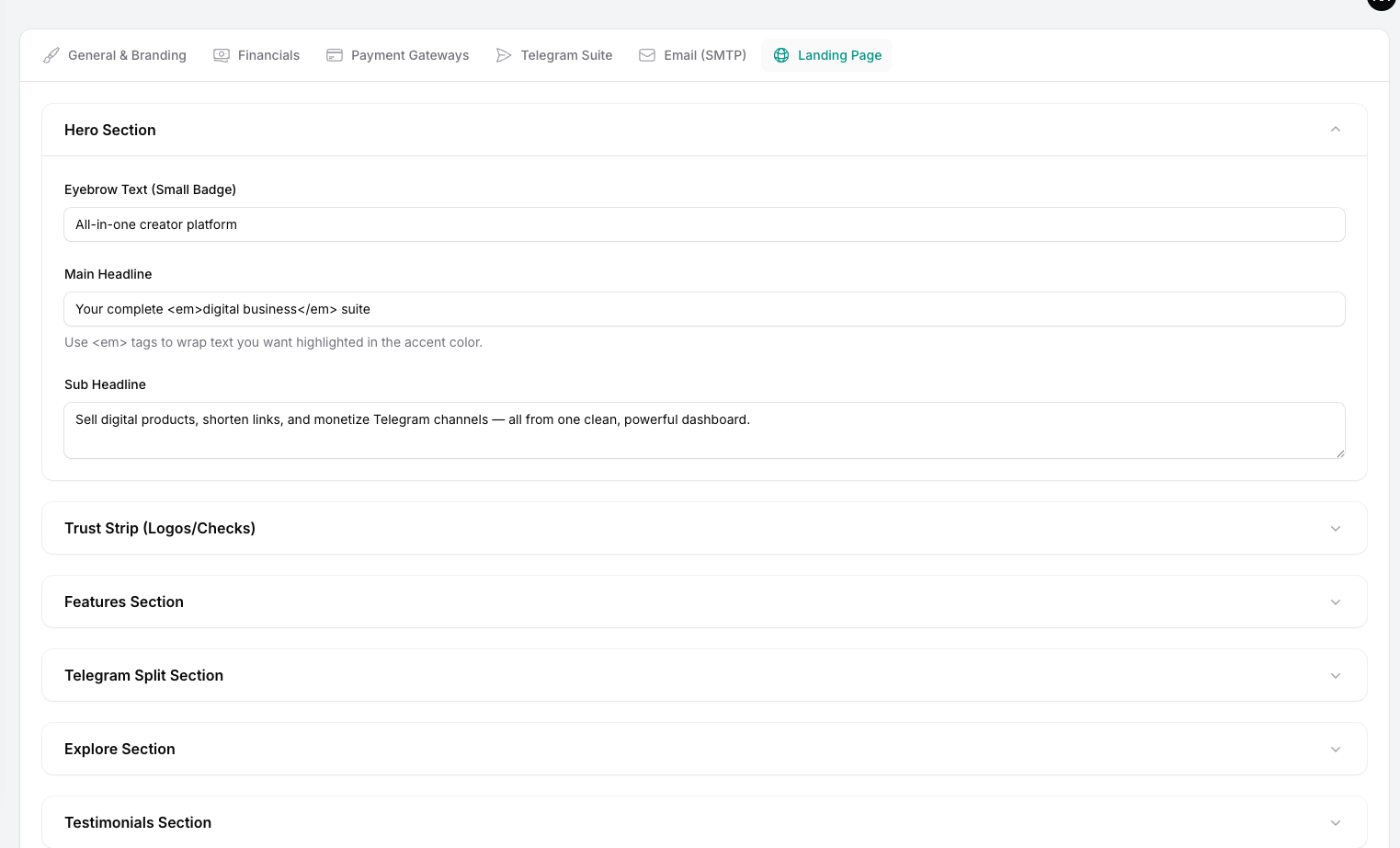
Saving Changes
Once you are satisfied with your edits:
- Click the "Save" icon in the tab.
- The changes are instantly published and visible to all your website visitors.
Note: This feature is strictly protected. Only the Admin