Creator Panel Guide
A complete walkthrough of the TeleMint Creator Dashboard and features.
Creator Panel Guide
The Creator Panel (App Panel) is your all-in-one storefront and community management dashboard. From here, you can connect your Telegram account, create digital products, manage subscription plans, and track your revenue.
1. Dashboard
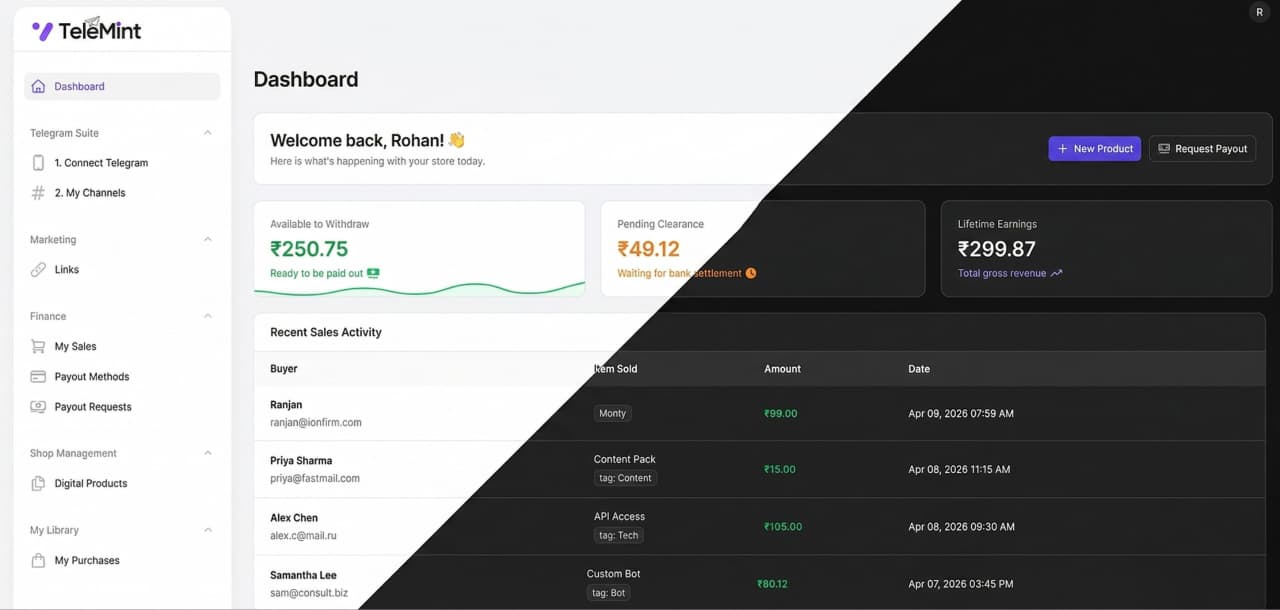
The Dashboard provides a beautiful, high-level overview of your storefront's performance, featuring a responsive, floating SaaS layout.
Analytics & Metrics
- Total Earnings: Your cumulative revenue generated through the platform.
- Active Subscribers: The current number of paying members in your Telegram channels.
- Total Orders: The overall number of digital products and subscriptions sold.
- Wallet Balance: The current amount of funds available for you to withdraw.
Quick Views
- Recent Transactions: A live feed of your latest sales, showing the buyer, product, and amount paid.
- Top Performing Plans: A quick glance at which subscription tiers or digital downloads are generating the most revenue.
2. Telegram Suite (The Magic Engine)
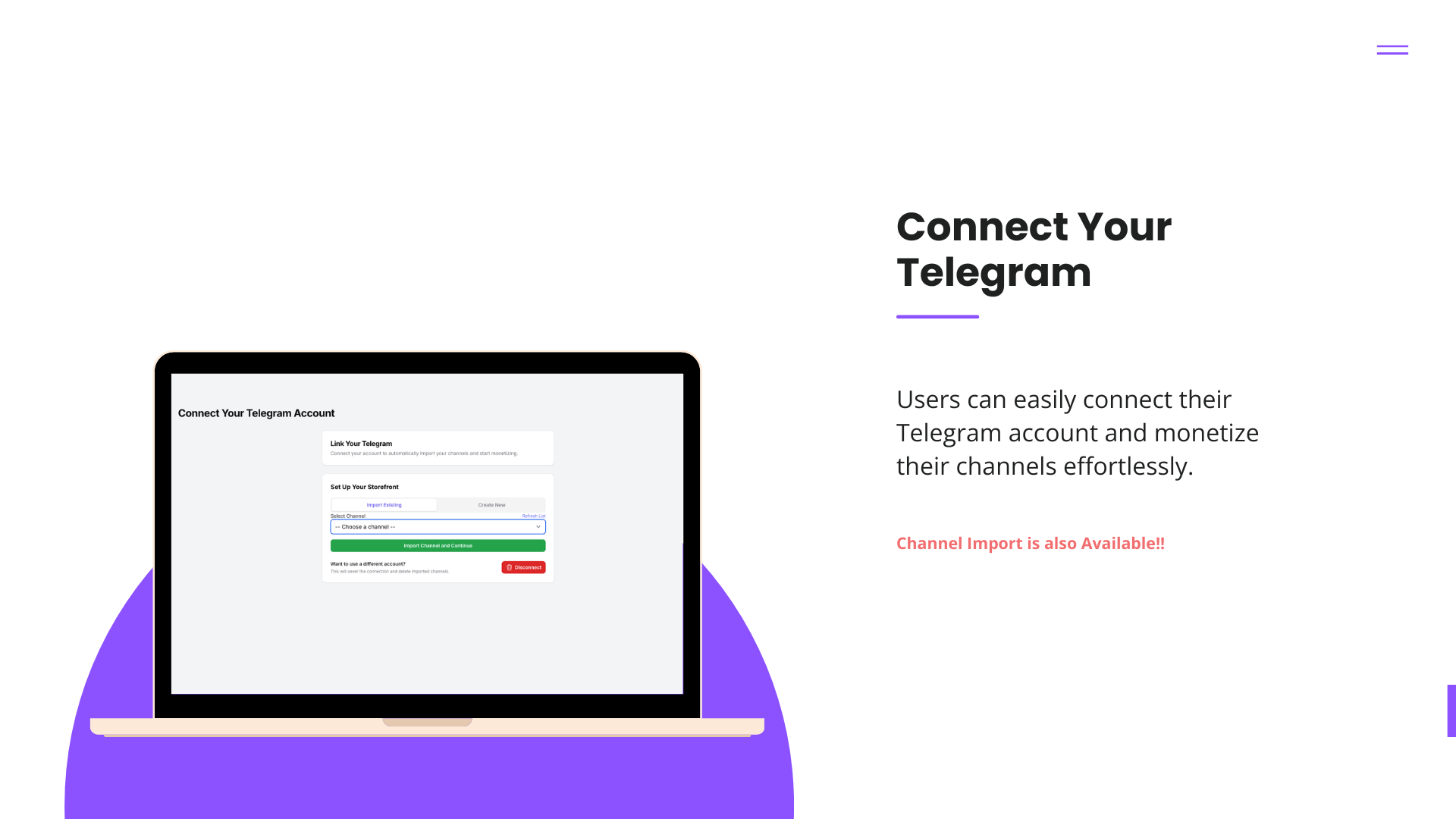
Critical Step: This is the core of your business. You must connect your Telegram account to enable automated invite links and subscriber management.
Unlike other platforms, TeleMint does not require you to add clunky bots to your channels. It uses an advanced Userbot system to operate silently on your behalf.
- Secure Login: Simply enter your Telegram Phone Number and enter the OTP sent to your Telegram app.
- Auto-Sync Channels: Once connected, the system automatically fetches every Channel and Supergroup where you hold Admin or Creator rights.
- Create New Channels: You can spin up a brand-new Telegram channel directly from the TeleMint dashboard without ever opening the Telegram app.
- Automated Member Management: The system automatically kicks users out of your private channels the moment their subscription expires—keeping your community strictly paid-only.
3. My Shop (Products & Subscriptions)
Create the offerings you want to sell to your audience.
Telegram Subscriptions
Sell recurring or one-time access to your private Telegram channels.
- Plan Creation: Set the price, billing interval (e.g., Monthly, Yearly, Lifetime), and select which synced Telegram channel the buyer gets access to.
- Automated Invites: When a user buys this plan, TeleMint automatically generates a secure, single-use Telegram invite link just for them.
Digital Products
Sell downloadable files directly to your audience.
- File Hosting: Upload PDFs, eBooks, Videos, or ZIP files.
- Customization: Add cover images, rich descriptions, and set your pricing.
- Secure Delivery: Buyers receive a secure download link immediately after successful payment.
4. Orders & Transactions
A complete ledger of your customers and sales.
- Transaction History: View every purchase made on your storefront.
- Buyer Details: See who bought what, the exact timestamp, and the payment gateway used.
- Subscription Status: Track which buyers have "Active" subscriptions and which are "Expired."
5. Finance & Payouts
Manage your money and get paid.
- Wallet Overview: See exactly how much you have earned minus platform fees.
- Request Withdrawal: When you are ready to cash out, enter your payout details (e.g., Bank Account, PayPal, or Crypto/USDT address) and submit a request to the platform administrators.
- Payout History: Track the status of your withdrawal requests (Pending, Processing, Completed, or Rejected).
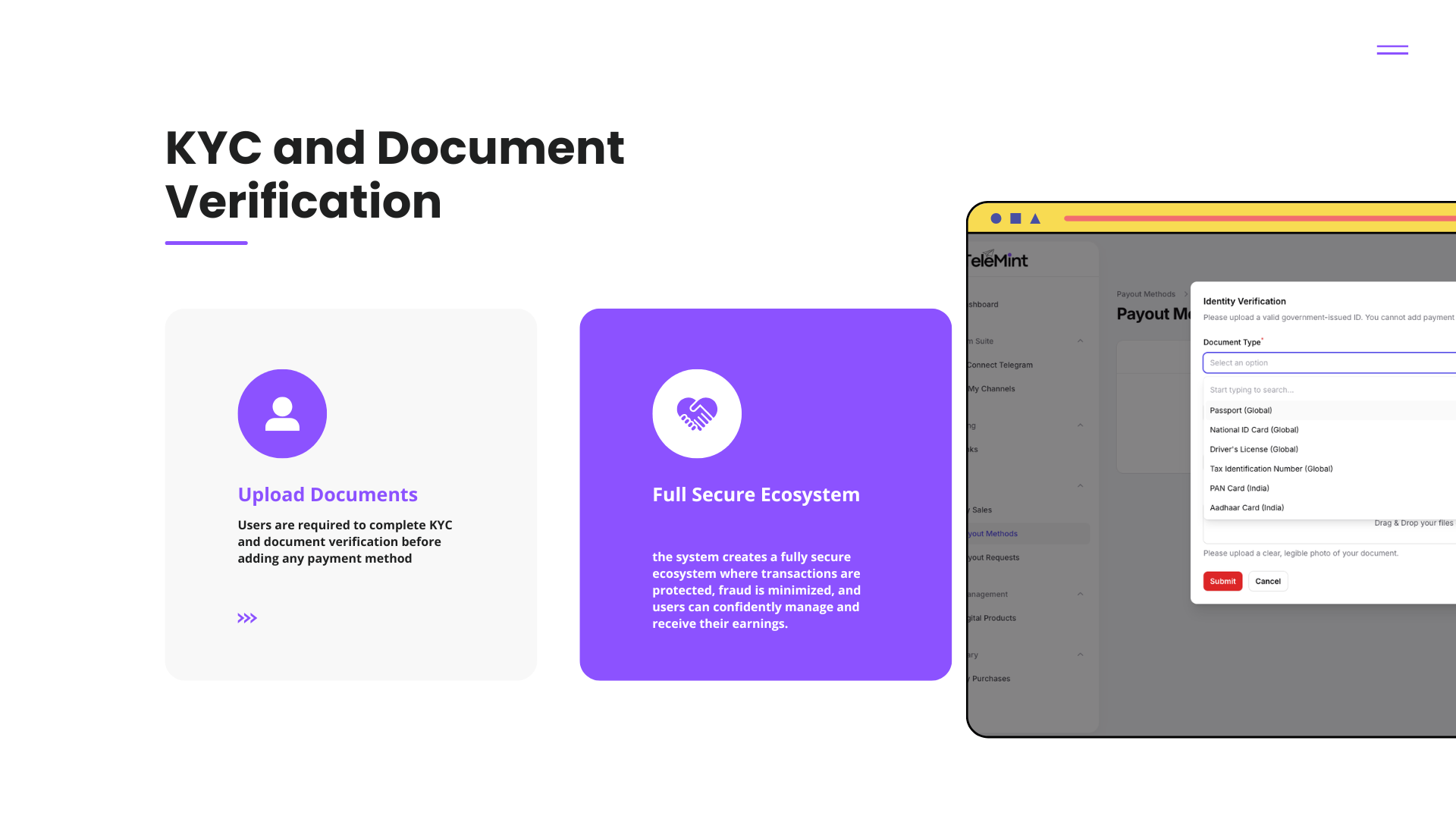
- KYC Verification: Submit your identification documents securely to the admin team to unlock your payout capabilities.
6. Marketing (MintLinks)
Drive traffic to your products with our built-in link manager.
- Short Links: Generate clean, trackable "MintLinks" for your storefront or specific products to share on Instagram, YouTube, or Twitter.
- Analytics: Track how many clicks each link is getting to see which social media platform is driving the most sales.
7. Settings & Profile
Personalize your workspace.
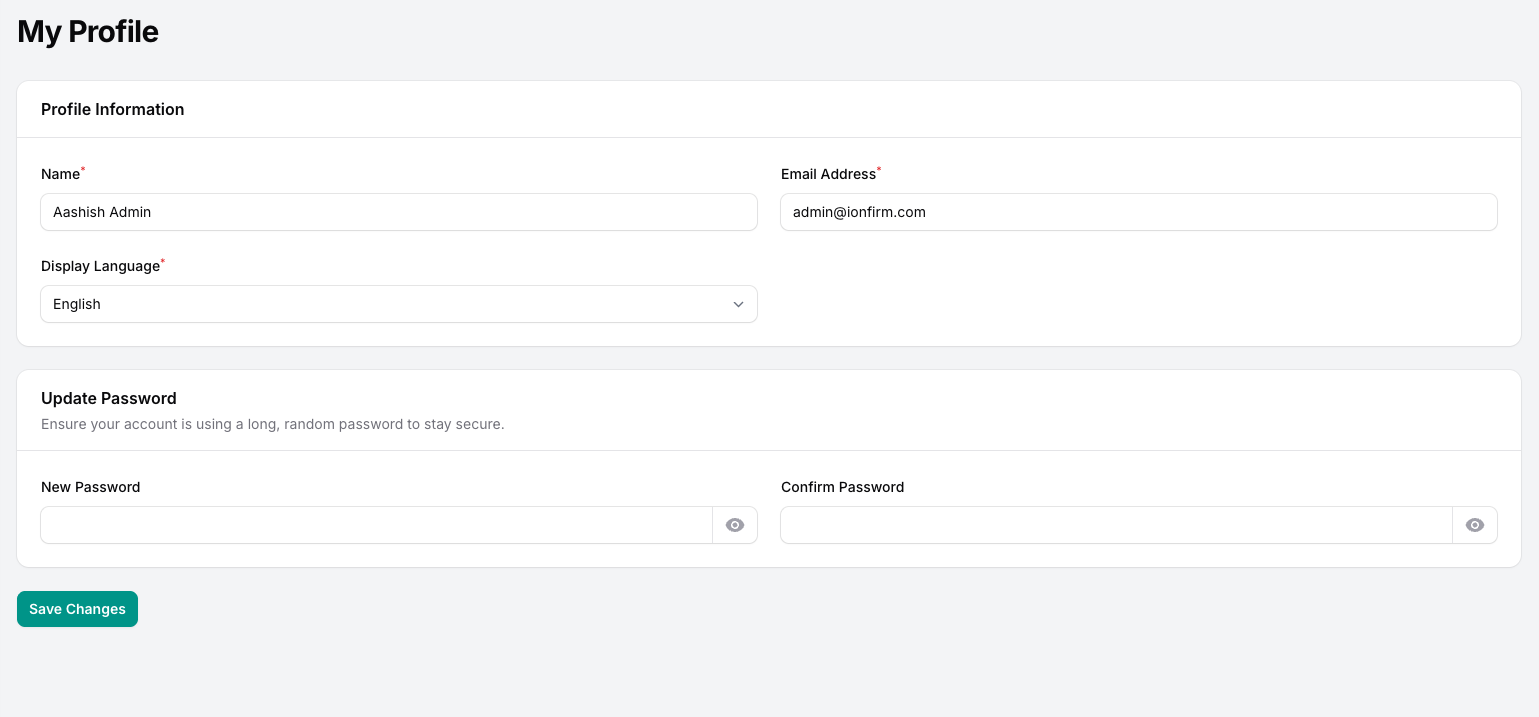
- Profile Management: Update your display name, email, and storefront avatar.
- Security: Change your account password securely.
- Localization: Switch the entire dashboard into your preferred language with a single click.
- Appearance: Toggle seamlessly between Light Mode and Dark Mode. (Our custom Dark Mode perfectly inverts logos and softens interface shadows to reduce eye strain during late-night work sessions).